01
Cards
A self-contained part that reads one kind of data — a chart over a collection, a review queue, a chat with an agent — with its settings, events and states declared.
- 149 card types
- Settings in a panel
- Health checked as you build
Cards make pages. Pages make packs. Packs are the apps thousands of people open — built by conversation, shipped as a package.
Every Botminds app is composed from cards: 149 card types that already know how to read your collections, five page layouts, and packs that join pages into one app with its own menus, brand and rules. Cards filter each other with no wiring, custom cards are built as data, and Piper can do all of it from a sentence.
Cards→Pages→Packs
Composable UI is building applications by assembling ready-made, self-contained parts — cards, widgets, components — instead of writing each screen from scratch. Each part knows its own data, states and events, so parts combine without glue code. On Botminds the parts are cards, the screens are pages, and the apps are packs, served to thousands of people on one scale-out platform.
Three levels, each with one job. A business team changes a screen without touching another, and every improvement to a card reaches every app that uses it.
A self-contained part that reads one kind of data — a chart over a collection, a review queue, a chat with an agent — with its settings, events and states declared.
One screen: a layout with zones that hold cards. A link can open a page on one record, one filter or one period.
The app people open: pages joined into a journey, with a shell — brand, menus, breadcrumb — and rules that move people between pages.
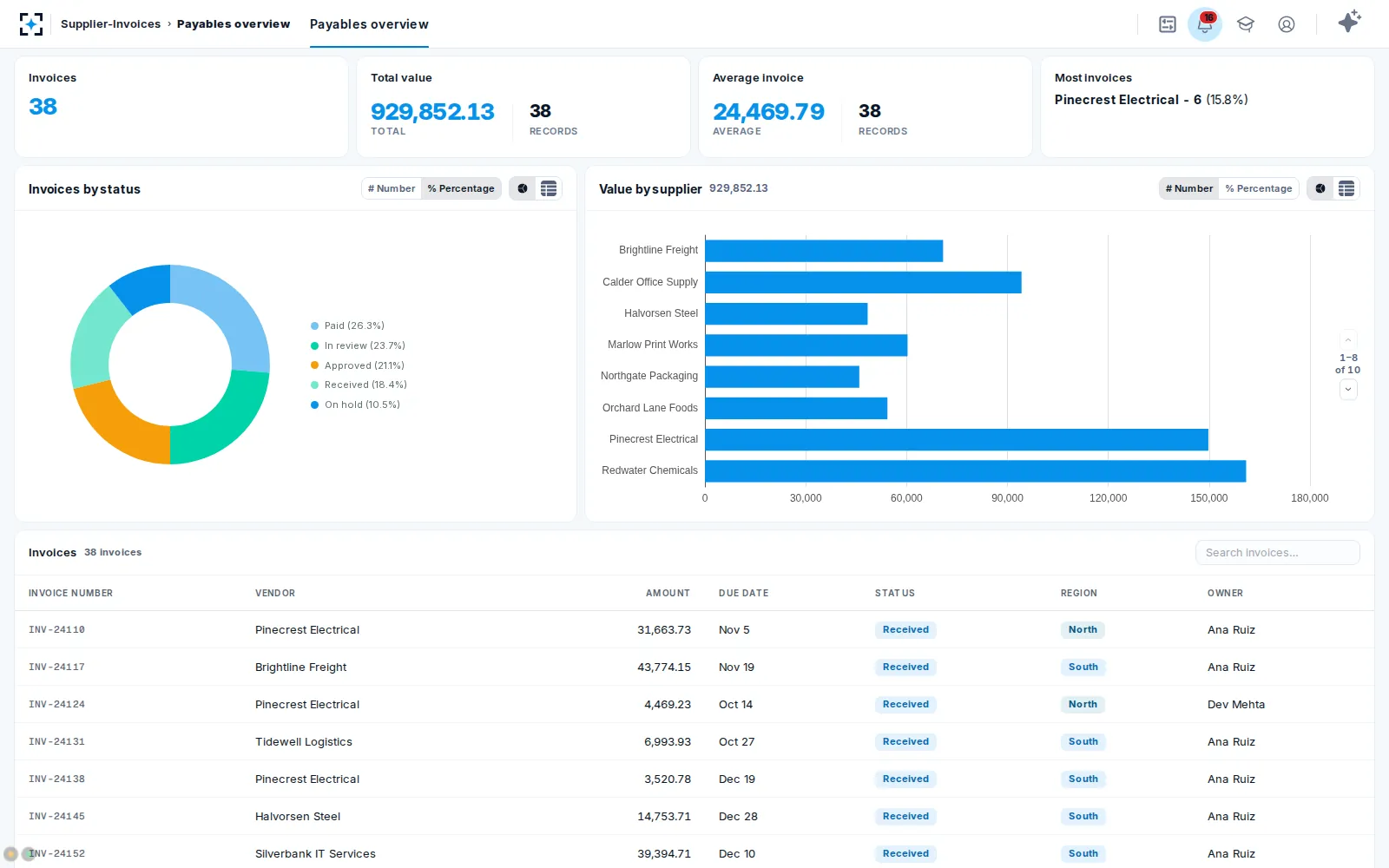
Each card already knows what it reads and what it does — a review queue knows stages and assignees, a chart knows your fields, a viewer knows pages and highlights. You choose and configure.
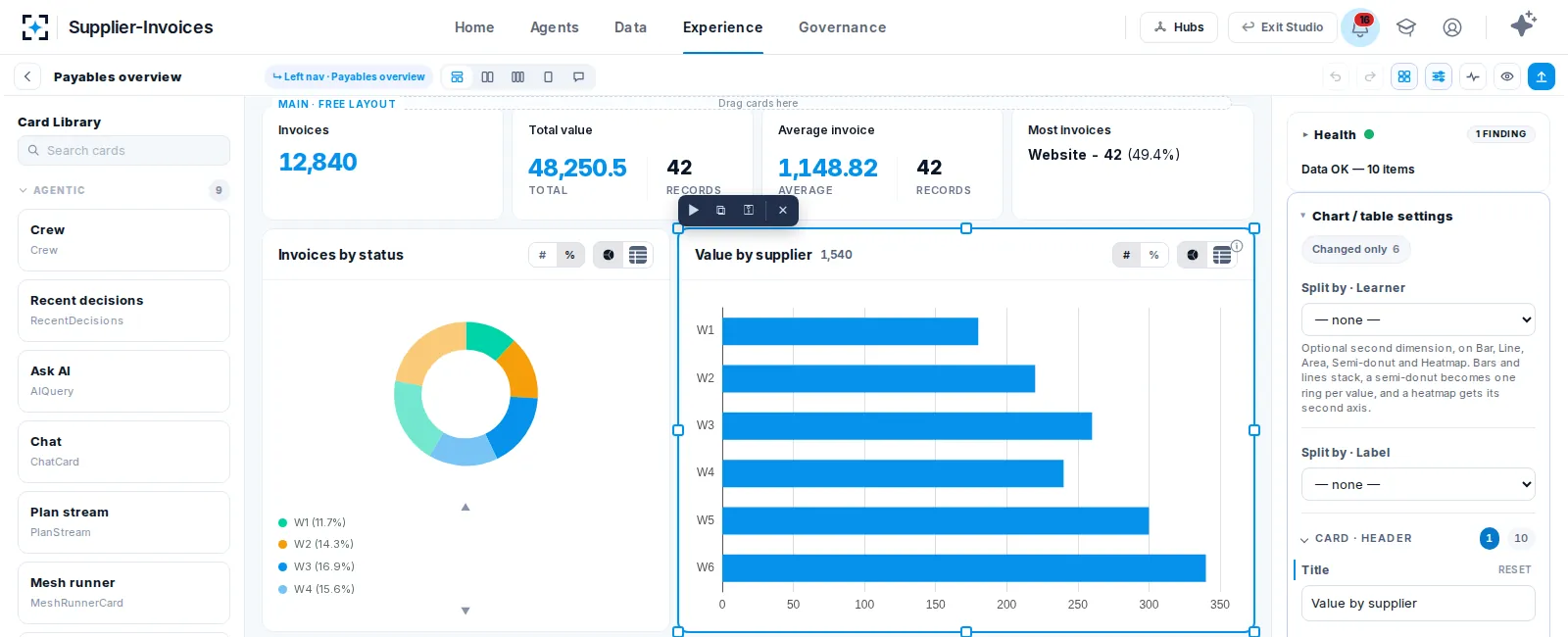
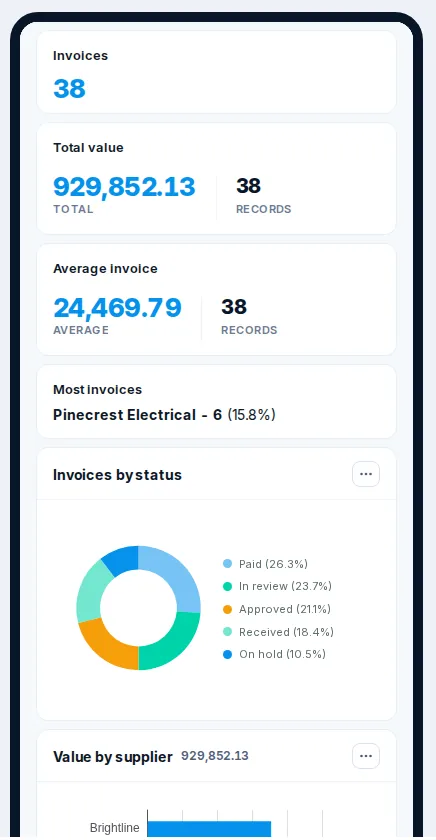
Cards sit on a grid inside each zone and can be dragged, resized and copied. A page can carry its own arrangement for a phone and a tablet, so a field team’s screen is designed for it.
Botminds cards declare what a click means. The page keeps one shared state, and every card that reads that part of it re-reads on its own — master and detail work together the moment both are placed. 101 of the 149 card types declare their events.
Shareable: the address carries the filter, so a colleague opens the same view. Closeable: it remembers the page it came from, so Close goes back there.
Where pages meet, a pack’s wiring is a list of rules with four actions and plain values. Anyone can read it, a reviewer can check it, and a rule that points at a missing page is caught before publishing.
on:  Payables overview
     card “Value by supplier”
     event: a supplier is clicked
do:  navigate → Supplier detail
     set state on arrival:
       supplier = the clicked one
carry my current filtersOpen another page of the pack, with what was clicked folded in.
Set a filter or selection here, or on the page being opened.
Send the reader to an address the rule names or the click carries.
Save a row, move a stage — then refresh the view.
One app, end to end. Brand, menus and breadcrumb belong to the pack, so every page looks like one app. A pack exports and imports whole, installs as part of a package, and each role can land on its own pack.
When a solution needs a new card, build it in the Card Builder — as data, with no platform release. It lands in the palette, shows the same states, is checked by the same health tools and travels in the same package.
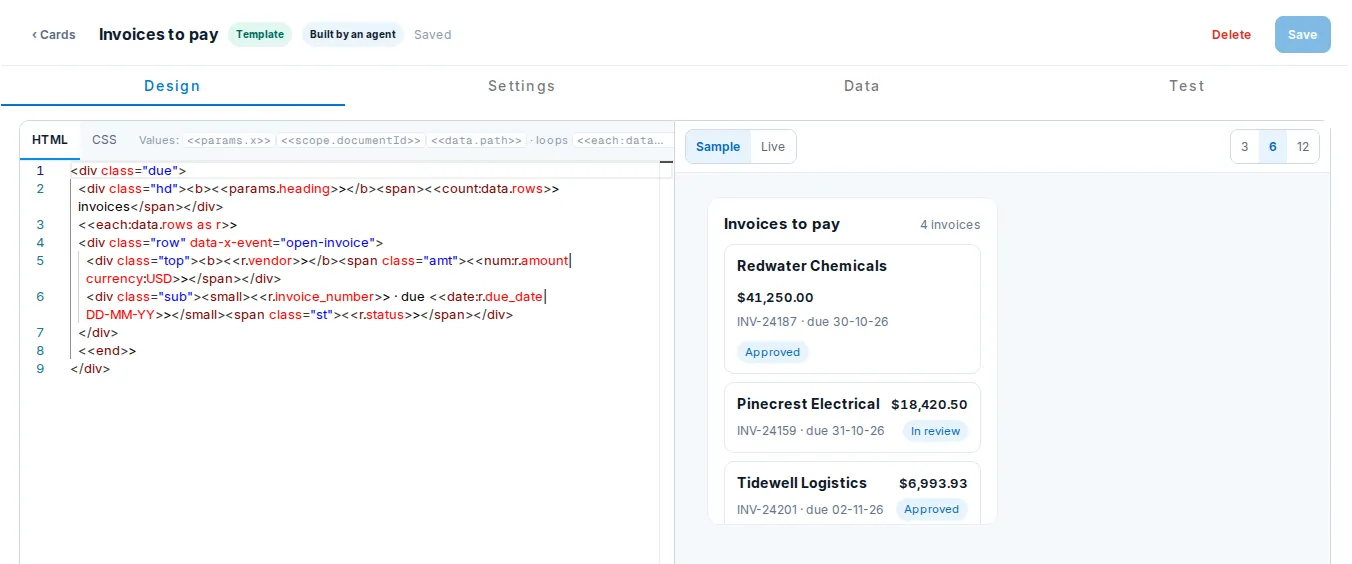
Theming keeps every part on brand without touching the parts. Certification checks, level by level, that every part shows its data faithfully.
Each card’s data contract tested against one fixture on both sides.
Rendered alone: shown values match the source; empty and error states hold.
Every declared event fired and its effect on the page checked.
Each pack template walked page by page, rule by rule, and round-tripped.
Piper uses the same tools a person uses in the designer — create a page, place a card, add a rule, publish the pack — so what it builds is reviewable, themeable and governed from the start.
Add a Supplier detail page: each supplier’s invoices as a table, with a status chart. Clicking a supplier on Payables overview should open it, filtered.
Plan: 1) a new split page with a records table and a status chart over Invoices; 2) a rule on Payables overview — a click on a supplier opens Supplier detail filtered to that supplier; 3) check both pages with live data. Shall I go ahead?
Yes, go ahead.
Done — Supplier detail has its table and status chart, and the rule is on the bar chart. I read each change back. Here is the link.
Pages are served by stateless services that run as many copies and scale out on Kubernetes as people arrive. Each card reads just what it needs from collections and search indexes that grow with your data, and packs install across workspaces and regions as part of a package.
Copies added on Kubernetes as traffic rises; any copy serves any page.
All three promise apps without hand-coding every screen. They differ in what the parts are, who wires them, and what happens to governance as the app grows.
| Low-code app builder | Generative UI | Botminds composable UI | |
|---|---|---|---|
| The parts | Generic widgets you bind to data | Screens a model writes at run time | 149 card types that already know your data |
| Joining parts | Event wiring and formulas | Whatever the model produced | Zero wiring on a page; four-verb rules across pages |
| Custom parts | Custom code components | Generated code | Cards built as data, cleaned or sandboxed |
| Permissions | Set up per app | Depends on the generated code | The platform’s, enforced on every read |
| Phone layouts | Often a second app | Varies | A layout of its own on the same page |
| Built by AI | Assistants that write formulas | Yes, every time it renders | Piper composes the platform’s cards; you approve the plan |
| Scale | Per app and per licence | Per render | Thousands of people on one scale-out platform |
| Ships as | An app in that tool | Varies by framework | A pack inside a versioned package |
Internal tools, too. The same parts build customer-facing case work and internal tools: queues, dashboards, review screens and admin pages share one model, one look and one set of permissions.
More from the platform: the full architecture, and how security works at Botminds.
Composable UI is building applications from self-contained, ready-made parts rather than coding every screen. Each part knows its data, states and events, so parts combine without glue code. On Botminds those parts are cards, assembled into pages and packs.
Screens assembled from independent components with declared inputs and outputs, joined by a shared state rather than direct references. Botminds uses three levels — cards, pages and packs — with a page-wide state and four-verb rules between pages.
They differ. Generative UI has a model write interface code at run time; composable UI assembles ready-made parts. On Botminds, Piper composes existing cards into pages, and a person approves the plan first.
Yes. Metric tiles, charts, time series, funnels and tables read your collections directly, filter each other with no wiring, and can be built in the designer or by asking Piper in plain words.
Low-code builders give you generic widgets to bind and wire. Botminds cards already know what they read and how they interact, rules between pages are four plain verbs, and permissions come from the platform.
Yes, as data in the Card Builder: a template card (HTML and CSS with value tokens, cleaned, in its own shadow root) or a script card (JavaScript in a sandboxed frame, talking to the page through an allow-listed bridge). No platform release is needed.
They run in a sandboxed frame with an opaque origin, sealed from the page, its cookies and the network. They talk to the page through a bridge that emits declared events, runs the commands the card lists, opens allowed links and asks for a file or a signature on a click.
Thousands. Pages are served by stateless services that scale out on Kubernetes, and cards read from collections and search indexes that grow with your data, in any cloud and region.
Yes. Every page renders at phone width, and you can give a page its own phone or tablet layout, previewed over live data in the designer.
Pages and packs export and import whole, and travel inside the solution’s package with its collections, agents and custom cards. See AI governance for versions and rollback.
Tell us one screen your team needs. We’ll compose it from cards on your own data, and hand you the pack.